Make it minimal.Keep it minimal.
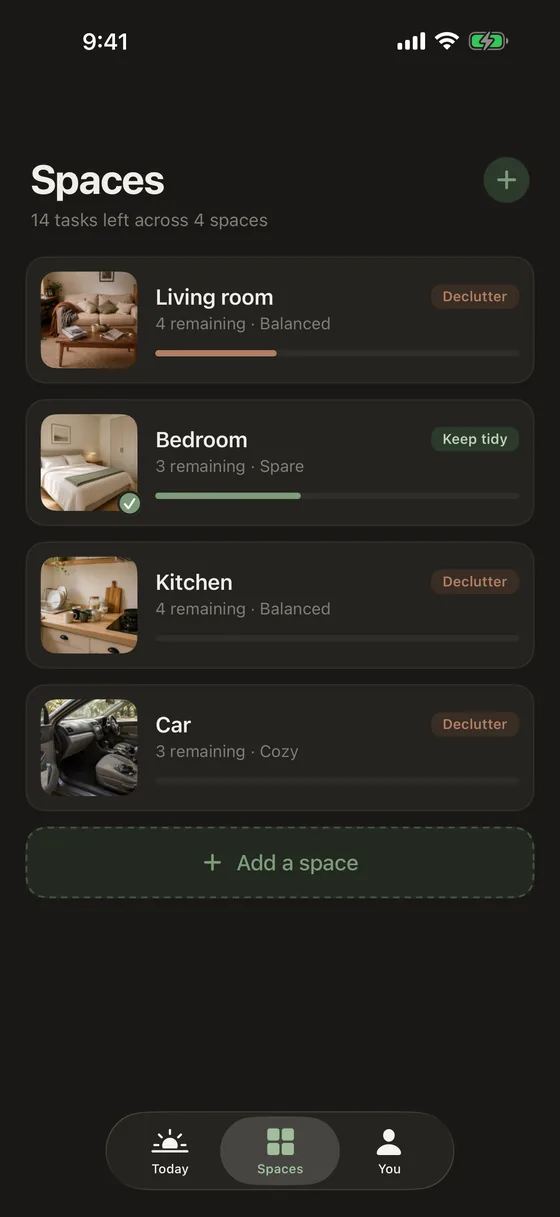
Photograph a space and Tidify builds a personal plan to get it there — and keep it that way, quietly.
How it works
Three steps, then you're tidying
No setup, no account, no long questionnaire about your habits. Point the camera at the mess and start.
Photograph the space
A room, a desk, the car, the chair where clothes live. Take one photo or several from different angles.
Get a plan back
Tidify reads the photo and writes an ordered list of tasks, each with a priority and a realistic time estimate.
Work through it
Tick tasks off one at a time, or mark the whole space done in a single tap when you've blitzed it.
The plan
A plan, not a blank page
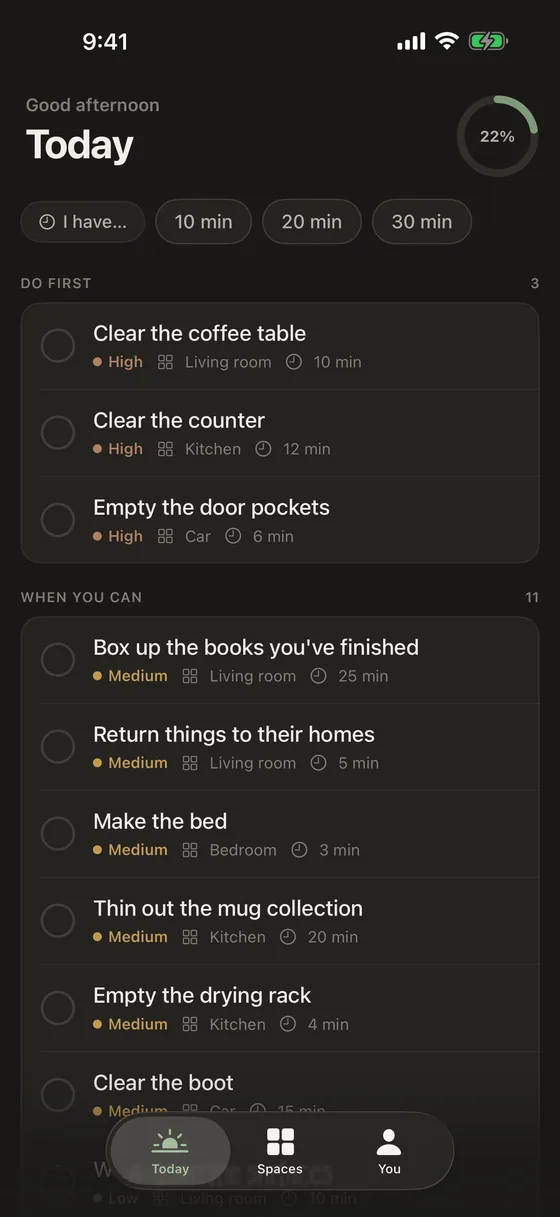
The hardest part of tidying is deciding where to start. Tidify has already decided. Every task is small, ordered by what matters most, and labelled with how long it should actually take.
- Tell it how long you have — 10, 20, 30 minutes — and it shows you what fits
- Split into Do first and When you can, so urgency is obvious
- Every task carries its room and its minutes
Maintenance
Tidy once. Then keep it that way.
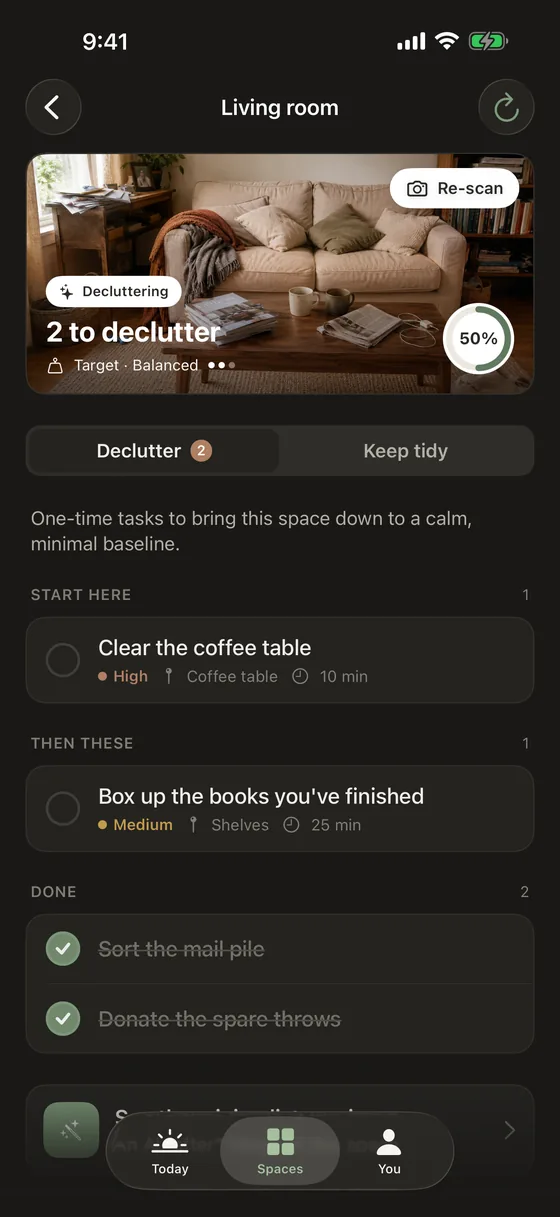
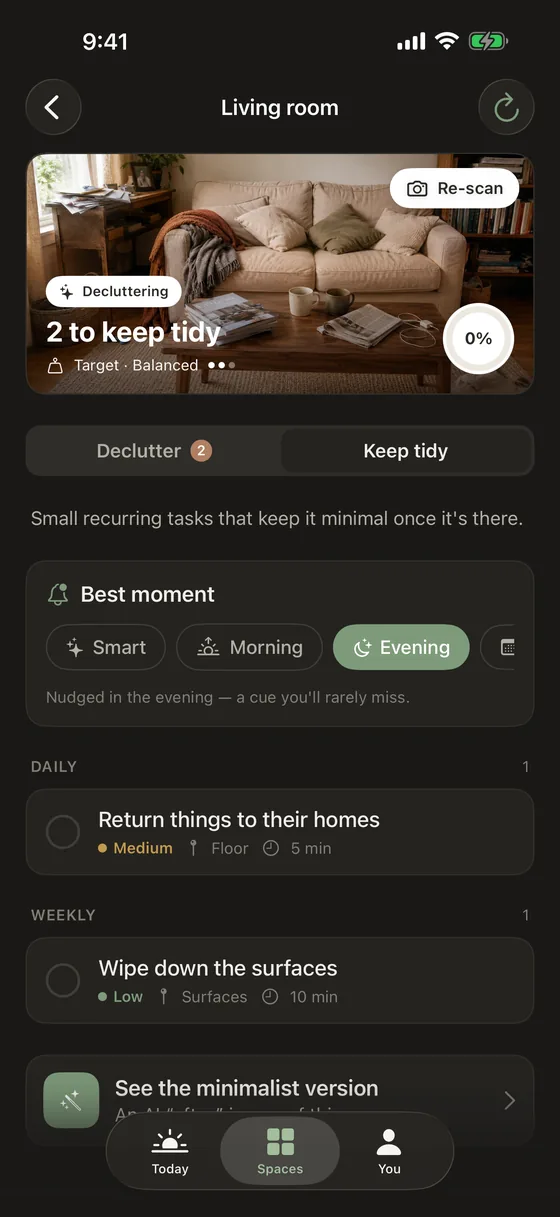
Most cleaning apps stop at the clean. Tidify treats minimal as a habit — re-photograph a space whenever it drifts and the plan rebuilds itself around what's actually left to do.
- Daily upkeep, weekly deep clean, or as-needed — set per task
- Watch a space go from cluttered to clear, and stay there
- No streaks to protect, no guilt, no clutter in an app about removing clutter
Focus
Fewer distractions while you work
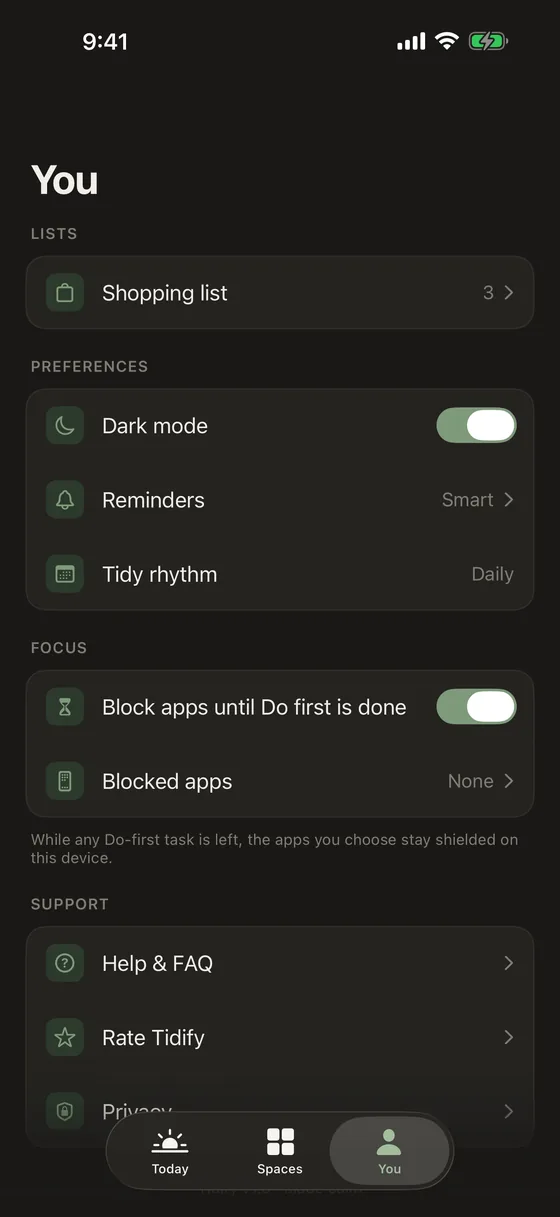
Optionally pause your own distracting apps for the length of a tidying session. You pick them through Apple's own system picker, which means Tidify never learns which apps you chose and nothing about it leaves your device.
- Entirely optional, and off until you turn it on
- Affects only the device you set it up on — never anyone else's
- Built on Apple's Screen Time framework, not a monitoring service
Tidify Pro
One space free. Every space with Pro.
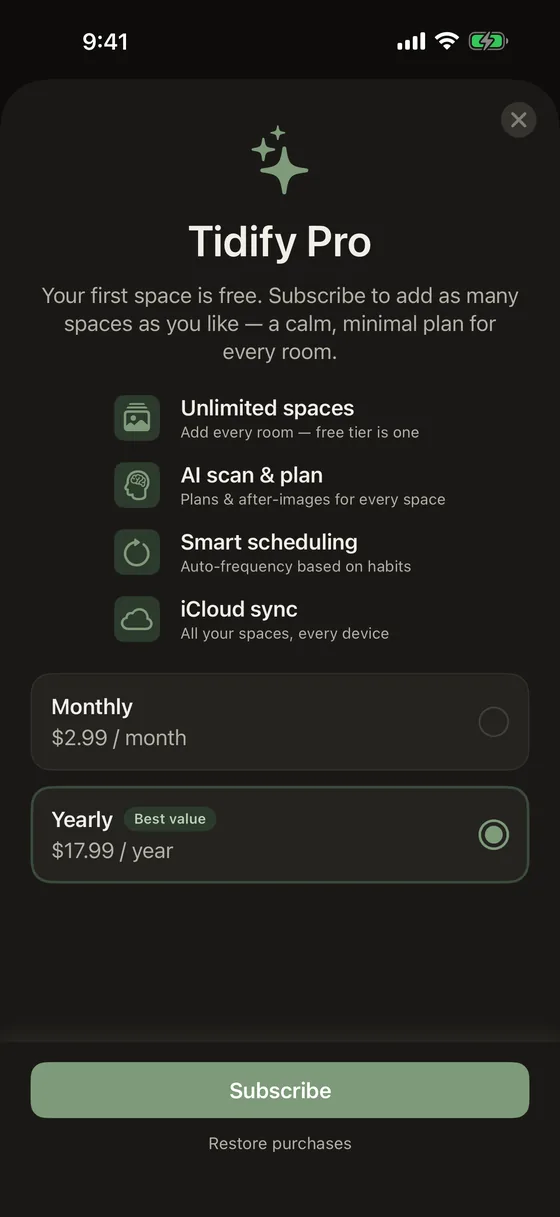
Your first space is fully featured — AI scanning, plans and preview images, with no scan limit. When one room isn't enough, Pro opens up the whole home, the car, the garage, wherever else the mess lives.
- Unlimited spaces, each with its own plan and history
- Rooms, cars, bathrooms, lobbies — anything you can photograph
- Cancel from iOS Settings whenever you like
Pricing
Start free. Upgrade only if you need more rooms.
Free
$0
One fully featured space
- AI scanning with no scan limit
- Full task plans and time estimates
- Preview images and upkeep schedules
- No account, no ads, no tracking
Tidify Pro
$2.99 / month
or $17.99 / year
- Everything in Free
- Unlimited spaces
- Separate plans and history per space
- Cancel any time in Settings
Subscriptions are billed through your Apple Account and renew automatically until cancelled. Manage or cancel in iOS Settings. See the Terms of Use and Privacy Policy.
FAQ
The questions worth answering
What happens to the photos I take?
They're uploaded so a Google Gemini model can read them and write your plan, and they're stored under an anonymous identifier. They are never used to train models, never sold, and never shared for advertising. You can ask for them to be deleted at any time. The privacy policy spells out exactly what is sent and where it goes.
Do I need to create an account?
No. There's no sign-up, no email, no password. Tidify creates an anonymous identifier on first launch so your uploads stay separate from everyone else's — that's the whole of it. We never receive your Apple Account details.
Where are my spaces and tasks stored?
In a local database on your device. Deleting the app removes them, along with the anonymous identifier.
Is the app-pausing feature parental control?
No. It pauses apps you choose, on your own device, for the length of a tidying session you started. Tidify can't see which apps you picked and can't affect anyone else's device. It is not a monitoring or device-management product.
How do I cancel Pro?
In iOS Settings: tap your name, then Subscriptions, then Tidify, then Cancel Subscription. Pro stays active until the end of the period you've already paid for. Refunds are handled by Apple at reportaproblem.apple.com.
Does it work on iPad or Mac?
Tidify is built for iPhone first. Other platforms may follow — get in touch if that's what you're waiting for.
Your first room is free
Photograph it, get the plan, see whether it actually helps. No account, no card, no commitment.
Download on theApp Store